
|
|
#1
 06-07-2017, 11:00 AM
|
|||
|
|||
 iOS 11 Preview: Control Center Gets Customizable With 3D Touch
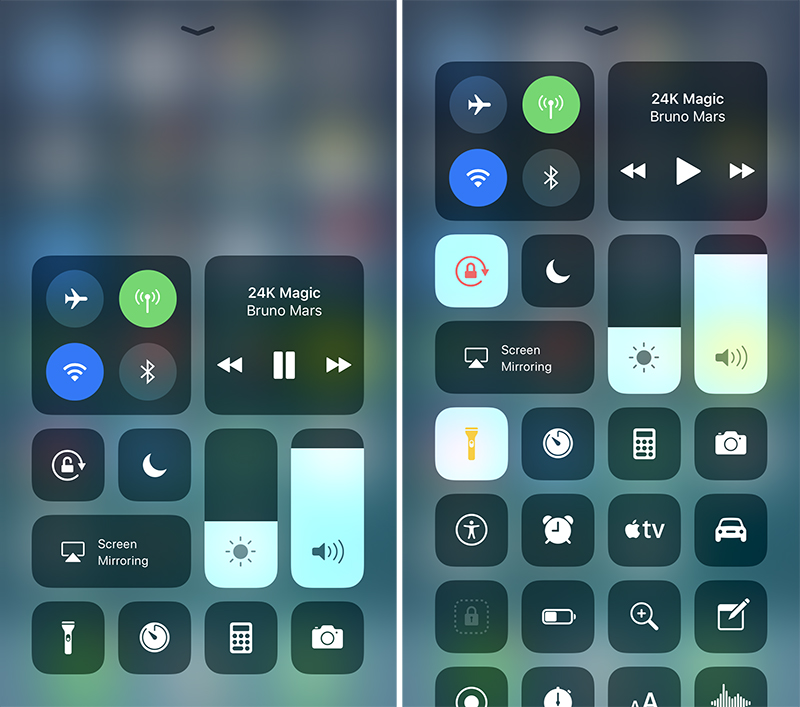 Control Center's default appearance (left) and With additional controls (right) Control Center's default appearance (left) and With additional controls (right) When you deep press on the Music pane, for example, a larger pane With volume, playback, and other controls pops open. Likewise, when you deep press on the pane With Airplane Mode, Wi-Fi, Bluetooth, and Cellular Data toggles, a larger pane pops open With AirDrop and Personal Hotspot toggles. 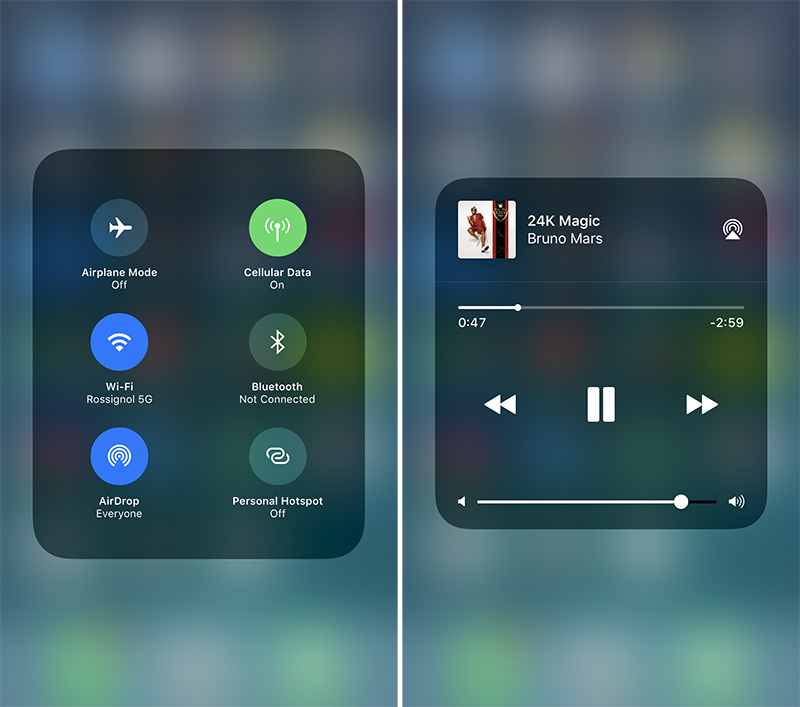 More granular controls appear by deep pressing With 3D Touch More granular controls appear by deep pressing With 3D Touch On iOS 11, users can add and organize additional controls and toggles to appear in Control Center through the Settings app. However, the following controls are default and can**t be hidden: the system toggles pane, music, orientation lock, brightness, volume, Do **t Disturb, and AirPlay Mirroring. 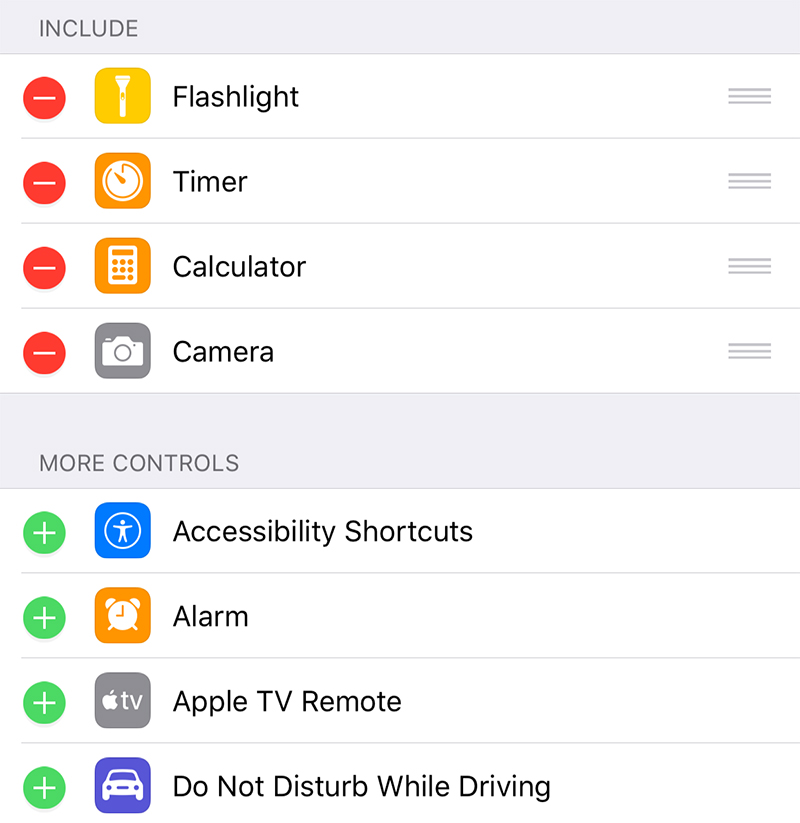 In Settings, users can add and organize additional controls to appear in Control Center In Settings, users can add and organize additional controls to appear in Control Center The following controls can be added and organized in Settings: ? Accessibility Shortcuts ? Alarm ? Apple TV Remote ? Calculator ? Camera ? Do **t Disturb While Driving ? Flashlight ? Guided Access ? Home ? Low Power Mode ? Magnifier ? **tes ? Screen Recording ? Stopwatch ? Text Size ? Timer ? Voice Memos ? Wallet Control Center still lacks a truly Customizable drag-and-drop layout, but the return to a single-page design and some customizability are welcomed improvements. The ability to add additional controls such as Low Power Mode and Accessibility Shortcuts will also be appreciated by many users.  The first iOS 11 beta was released to registered Apple developers on Monday. A public beta will be available in late June through the Apple Beta Software Program. The software update should be officially released in September. Related Roundup: iOS 11 Tag: Control Center Discuss this article in our forums أكثر... ??????? ??????: iOS 11 Preview: Control Center Gets Customizable With 3D Touch || ??????: ahlam1399 || ??????: اسم منتداك

|
 |
|
|


 العرض العادي

