
|
|
#1
 04-26-2017, 02:14 PM
|
|||
|
|||
 Google Maps **w Remembers Where You Parked Your Car
The feature is simple e**ugh to activate once you've Parked up, and like Apple Maps, if you have Your iPhone connected to Your car via USB audio or Bluetooth, Google Maps will automatically tag Your vehicle's location on the map when you disconnect it. 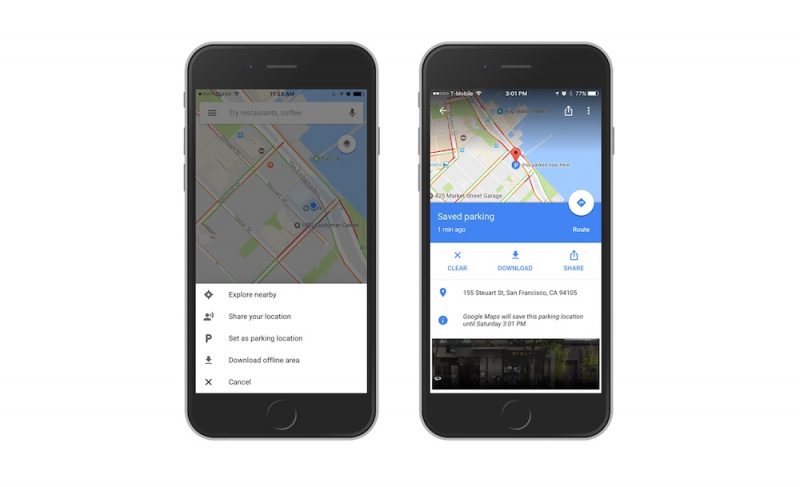 If Your iPhone isn't connected to Your car, you'll have to do this manually: Open up the app, tap the blue location dot and then select "Set as parking location" to add it to the map. Tapping on the parking icon that remains on the map also opens the parking card, which includes options to share the location with friends and view pictures of the parking area. Google Maps can be downloaded from the App Store for free. [Direct Link] Tag: Google Maps Discuss this article in our forums أكثر... ??????? ??????: Google Maps **w Remembers Where You Parked Your Car || ??????: ahlam1399 || ??????: اسم منتداك

|
 |
|
|


 العرض العادي

