
|
|
|||||||
|
|
أدوات الموضوع | انواع عرض الموضوع |
|
#1
 01-11-2017, 07:32 PM
|
|||
|
|||
 Astropad Studio Launches on iPad With 'Pro-Level Drawing Tools' for $65/Year
Second-screen iPad app Astropad has today launched a new premium version of its Drawing suite called "Astropad Studio" that's been built exclusively for the iPad Pro (via TechCrunch). The new service offers users a number of advantages over the basic app -- including 40 MB/s max speed for lower latency, deep Apple Pencil integration, and more -- for a subscription plan of $7.99/month or $64.99/year.
Similar to the original app, Astropad Studio works With any Mac app via Wi-Fi or through USB and mirrors Drawing tools from the iPad's screen onto a connected Mac. The company says that this connection lets users gain control of "pro-level Drawing tools" on a Mac, and is aimed at creative professionals who work both in an ****** and from home. 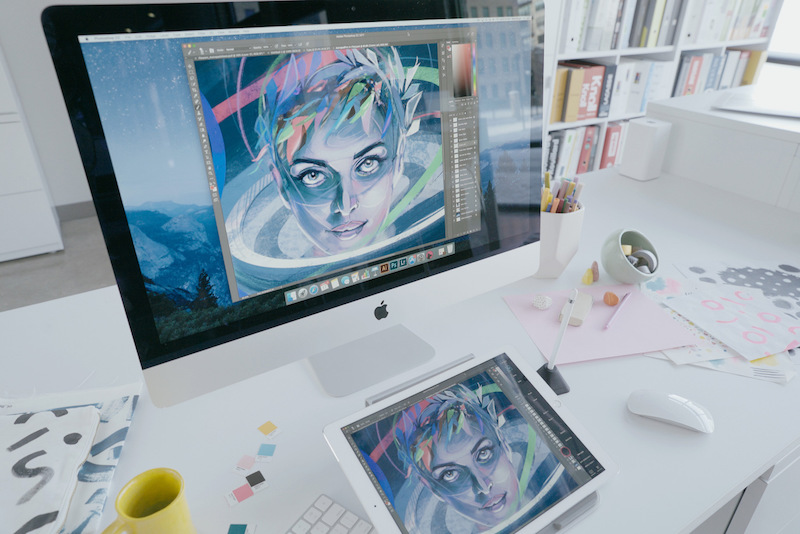 One of the biggest additions to the Studio suite of features is support for what Astropad calls "Liquid Extreme," which includes color-corrected output and retina resolution. Essentially, "what you see on your iPad is the same as on your Mac," according to the company. Here's the complete list of exclusive features for Astropad Studio:
The list features "Magic Gestures," which Astropad says is a way for users to set up easily accessible controls using a finger and Apple Pencil combination. For example, users can set up an erasing function to activate by setting one finger on the iPad's screen to instantly turn the Pencil into an eraser. Two fingers can be a right click, and so on. The standard version of Astropad sells for $29.99 on the iOS App Store [Direct Link]. For the new app, users can try out Astropad Studio [Direct Link] With a 7 day free trial before deciding to subscribe to the service's monthly or yearly models. More information regarding Astropad Studio can be found here. Related Roundup: iPad Pro Tag: Astropad Buyer's Guide: 12.9" iPad Pro (Caution) Discuss this article in our forums أكثر... ??????? ??????: Astropad Studio Launches on iPad With 'Pro-Level Drawing Tools' for $65/Year || ??????: ahlam1399 || ??????: اسم منتداك

|
|
|


 العرض الشجري