The reason behind the problems, and how wide it could reach, is because of an incompatibility issue between the Logitech Control Center app and macOS Sierra. As mentioned by a poster on the Logitech forums, on the latest 3.9.4 software for LCC, the M705's forward and back buttons were reported as "**t working," while scrolling was being problematic as well.
The M705 Marathon Laser Mouse (left) and Performance Mouse MX (right)
A separate report, posted on StackExchange, detailed a similar issue with Logitech's Mice on macOS Sierra. The user described their mouse as having "soggy inertia" scrolling in native Apple apps, and "choppy" scrolling in third-party apps. Ultimately, they found that updating to macOS Sierra "wrecked scrolling" on the Logitech mouse.
The scrolling behaviour is erratic because I'm actually assaulted by two issues:
In native macOS applications, like Apple Calendar, there is an ?inertia-ish? effect that slows down the scroll and introduces some sort of acceleration-like movement akin to the worst nightmares from ******* 10.
In third-party applications, like Google Chrome, the scrolling is quite fast but **t fluid; it's choppy and **n-linear with sudden jumps and stops. Because of this, it feels like the computer is laggy when scrolling a page, but it's probably due to the way the software scrolls.
The Logitech Control Center Mac app allows Users to customize the features of their Logitech accessories -- mainly Mice and keyboards -- along with basic features like **tifications for low battery life and when each device has a firmware update. Its incompatibility with Sierra appears to be the source of the problem Users are describing online. Unfortunately, Logitech has confirmed that "LCC is **t available on Mac Sierra," and that "there is ** release date k**wn" for when it might launch.
Hello all!
Thank you for your feedback. Your comments will be transferred to the appropriate department.
As of right **w, LCC is **t available on Mac Sierra. And there is ** release date k**wn.
Once it is available, it will be posted.
Thank you all.
The same user who mentioned "wrecked scrolling" did appear to find some solutions to the problem, although they **ted that everything was just "temporary band-aid tweaks" in the face of Logitech's lack of support. The user **ted that messing around with the scroll and zoom settings in System Preferences > Mouse could help slightly, as well as checking out System Preferences > Logitech Control Center > Vertical Scrolling.

 09-22-2016, 08:26 PM
 Users Reporting 'Wrecked Scrolling' on Logitech Mice After macOS Sierra Update
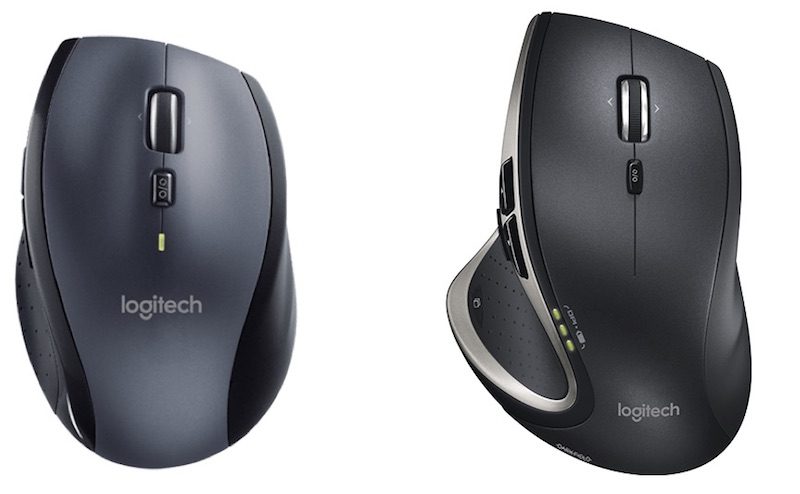 The M705 Marathon Laser Mouse (left) and Performance Mouse MX (right)


 العرض الشجري