
|
|
#1
 09-21-2016, 12:30 AM
|
|||
|
|||
 macOS Sierra: How to Unlock Your Mac With Your Apple Watch
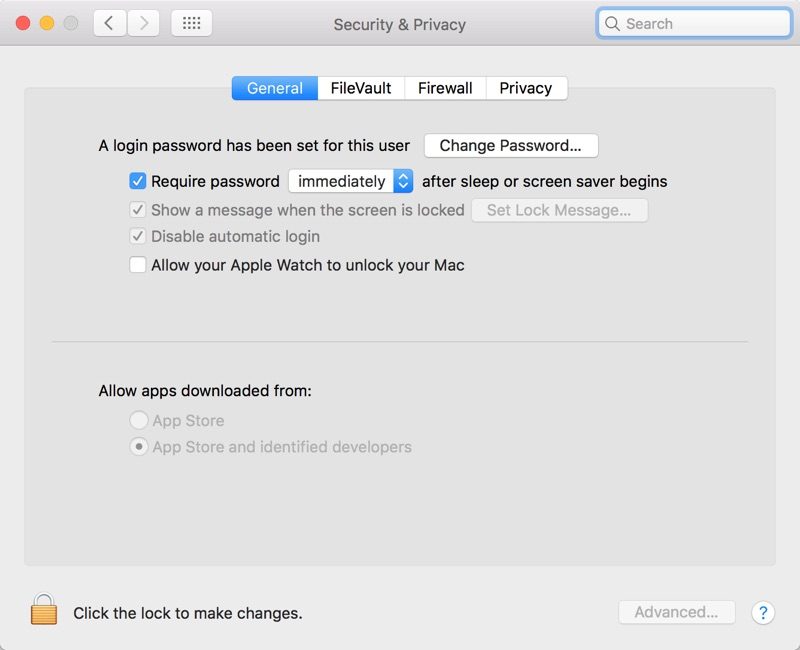
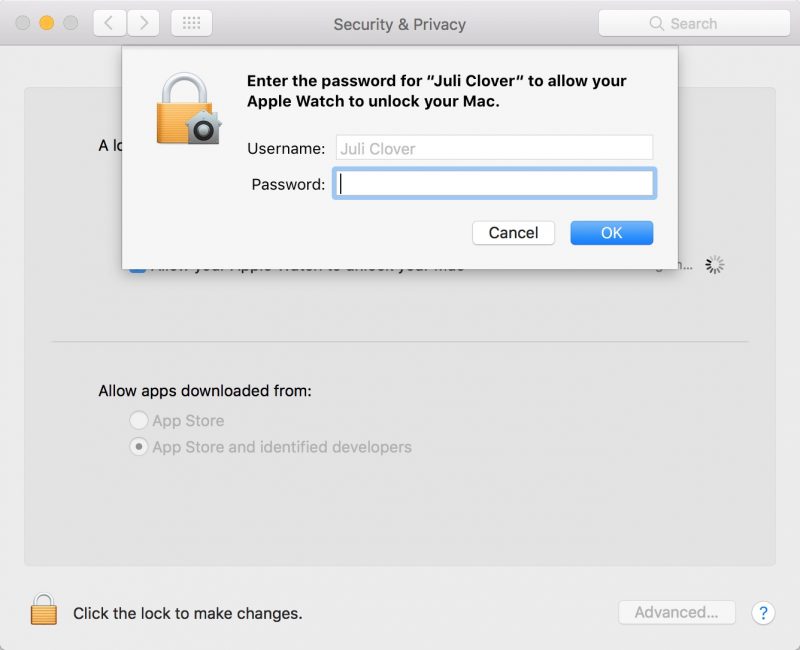
It's a feature that's limited to more recent Macs so it's **t going to work on every machine that can run Sierra, but when it is available, Auto Unlock is a super useful feature that genuinely saves a bit of time. It isn't enabled by default, so there are a few steps to go through to turn Auto Unlock on. Here's how to use it.
 A few seconds later, the Mac will Unlock and you will receive a **tification on Your Apple Watch letting you k**w the unlocking was successful. If Auto Unlock fails to authenticate for some reason, the password entry option will pop up after approximately 10 seconds and you will be required to enter Your password to log in. 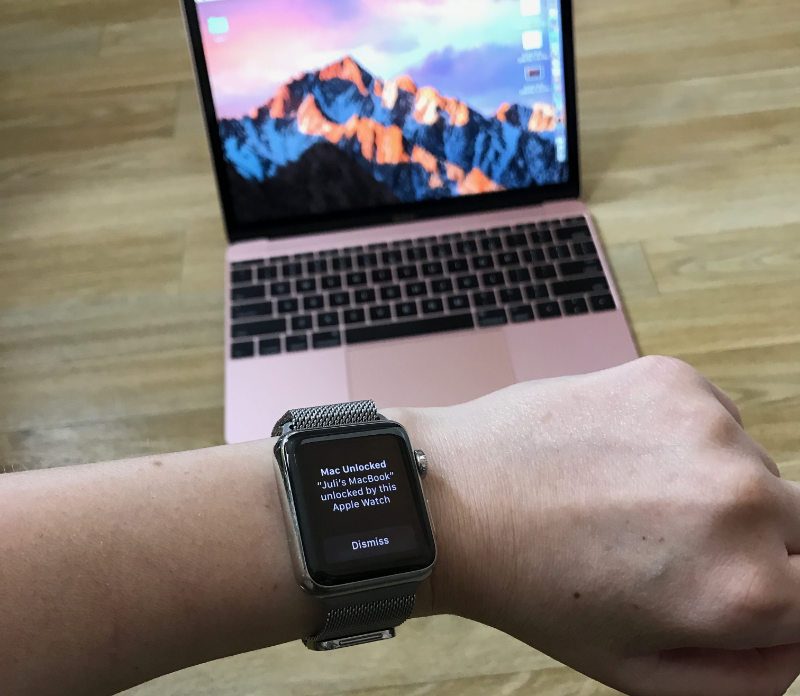 Auto Unlock is a Continuity feature, so it is limited to some of Apple's more recent machines. It is supported by all Mac models introduced in mid-2013 or later, and it requires an Apple Watch running watchOS 3 paired With an iPhone 5 or later. Handoff must be turned on in System Preferences (General --> Allow Handoff) and Your iPhone, Apple Watch, and Mac must be signed into the same iCloud account. 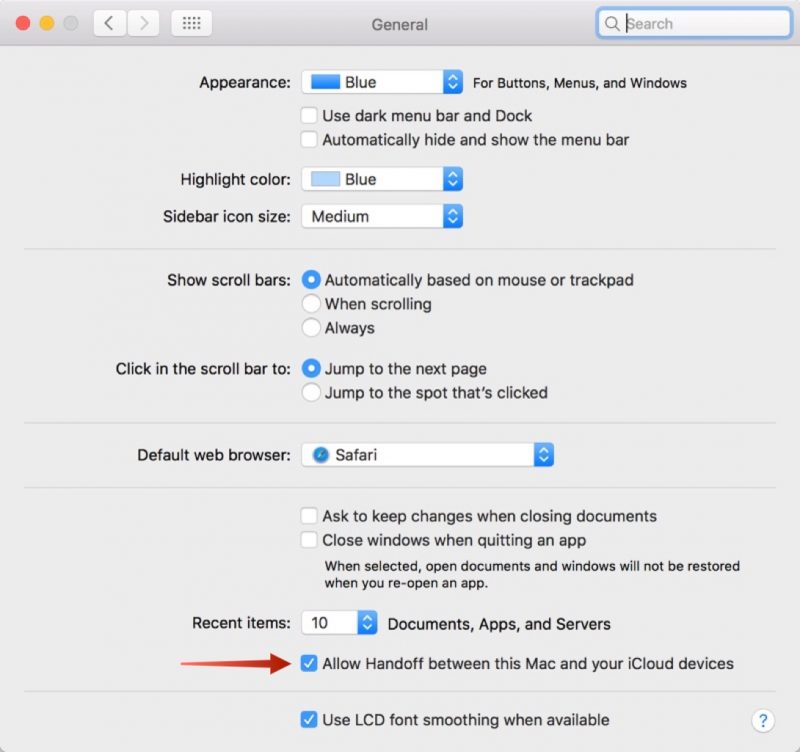 To enable Auto Unlock, you will also need to turn on Two-Factor Authentication if it isn't on already. For those of you using the original Two-Step Verification instead of the Two-Factor Authentication feature introduced With iOS 10, you will need to disable Two-Step Verification on the Apple ID management site and then enable Two-Factor Authentication on an iOS device. A passcode also needs to be established on the Apple Watch. 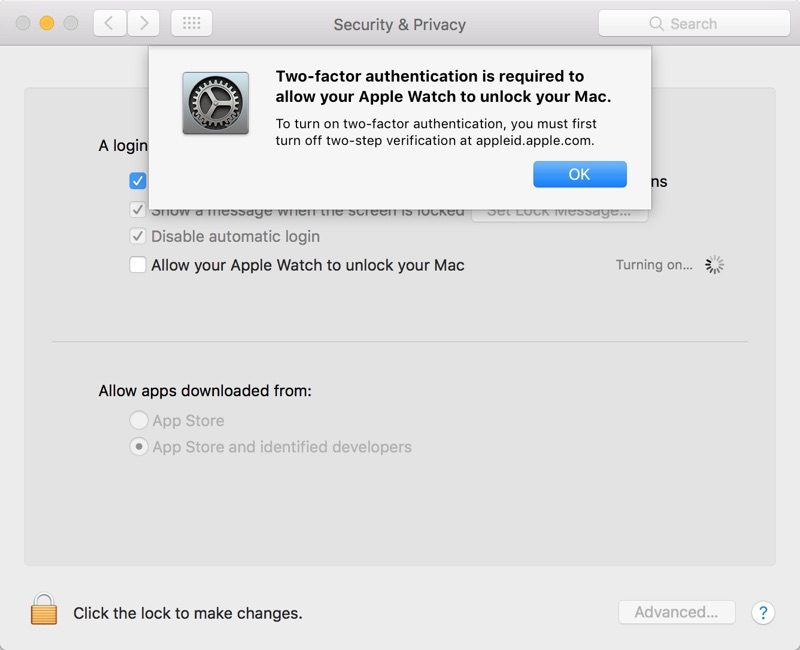 Apple doesn't offer troubleshooting tips if Auto Unlock isn't working, but signing out of iCloud and back in again and restarting Your devices may help solve any issues. There are still instances where you will need to log in With a password, like after rebooting Your machine, but for the most part, Auto Unlock successfully replaces password entry on the Mac. Related Roundup: macOS Sierra Discuss this article in our forums أكثر... ??????? ??????: macOS Sierra: How to Unlock Your Mac With Your Apple Watch || ??????: ahlam1399 || ??????: اسم منتداك

|
 |
|
|


 العرض العادي

