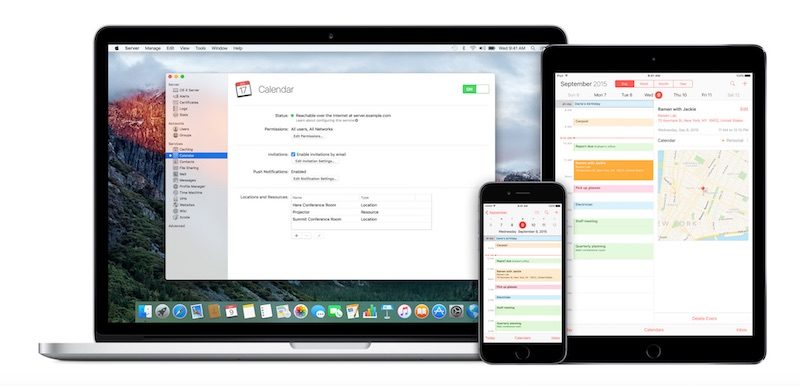
Apple today Updated its macOS Server Mac app With a collection of new features in Version 5.2 that bring integration With Apple School Manager, various streamlining updates to the Setup Assistant of some apps, and security restrictions for new macOS features like auto-unlock With Apple Watch.
Previously dubbed "OS X Server," the app introduces "even More power to your business, home ******, or school," by turning any Mac into a powerful server. macOS Server can make it easier to share files, synchronize contacts, host a website, configure iOS devices, remotely access your home network, and more.
What's New in Version 5.2
Profile Manager
? Integration With Apple School Manager to get Managed Apple ID and class information
? Skip the iMessage & FaceTime Setup Assistant pane in iOS 10
? Skip the Siri Setup Assistant pane in macOS Sierra version 10.12
? Choose default app for audio calls for Contacts, Exchange, and Google accounts
? Set Bluetooth Modification restriction on supervised devices
? Set Apple Music; iCloud Keychain Sync; and Sharing to **tes, Reminders, or LinkedIn restrictions for macOS Sierra version 10.12
? Set new IKEv2 authentication method option or specify IPSec disconnect on idle timeout for VPN
? Restrict Cisco fast lane Quality of Service marking or disable captive network detection for Wi-Fi networks
? Restrict unlocking a Mac using Apple Watch
? Configure IP firewall
Caching Server
? Enhanced control over peer replication
SMB
? To improve security, SMB connections **w require signing by default.
NFS
? AES is **w a supported encryption type for Kerberized NFS
Xsan 5
? macOS Sierra and Server 5.2 include support for the Xsan 5 file system. Xsan 5 is compatible With the Quantum StorNext 5.3 file system.
? See Xsan Compatibility information before upgrading to Xsan 5.


 09-20-2016, 10:35 PM
 macOS Server Updated for Sierra With New Setup Assistant Options and More


 العرض العادي

