
|
|
#1
 09-16-2016, 04:42 PM
|
|||
|
|||
 How to Customize Favorite Contacts in iOS 10
Among the many new features in iOS 10 is a neat way to organize your Favorite Contacts and even access them quickly thanks to a new widget system introduced in the update. iOS 10 goes beyond general phone call-launching features, introducing ways to Customize whether each contact icon will call, FaceTime, text, or email the person you tap on.
The addition makes favorites a far more useful and personal feature, superior to the 3D Touch Quick action it was limited to in previous versions of iOS (an enhanced 3D Touch option is still available). It should be **ted that the basic communication preferences stored within each contact card on your iPhone will come into play when customizing your new favorites widget, so be sure to add in any phone numbers and email addresses before you start if you haven't done so already. Customizing Favorites in the Phone App Once you have iOS 10 downloaded, follow these steps to navigate through the new way you can Customize favorites in the phone app. 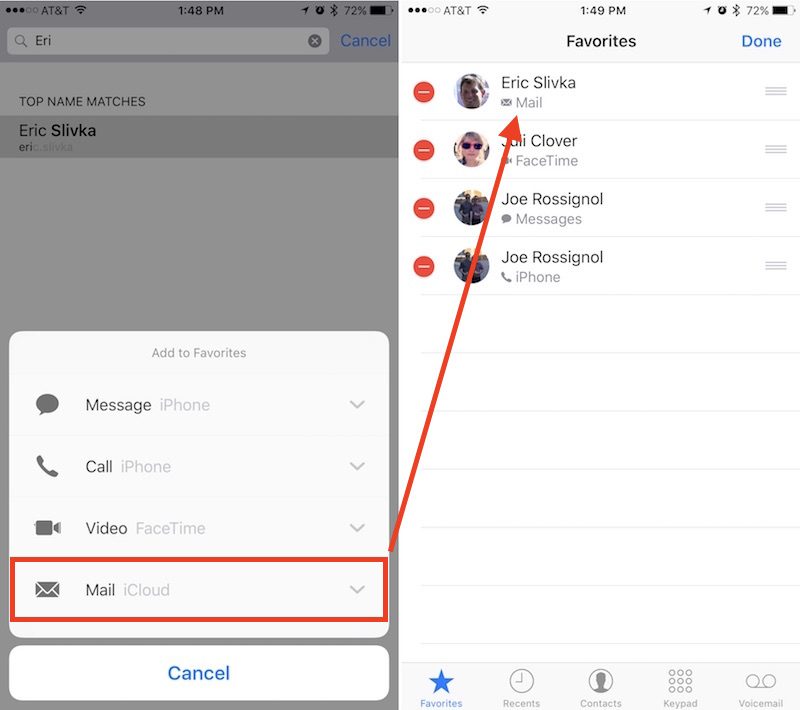 The above image represents Step 5 in the instructions below The above image represents Step 5 in the instructions below
The new favorites list is interesting because of its granular settings that allow you to jump into the Contacts you only text with, while still accommodating those people you more often speak with on the phone. The personalization doesn't stop there, however, thanks to iOS 10's new and visually overhauled widgets system. Follow the next few steps to get your favorites widget up and running. 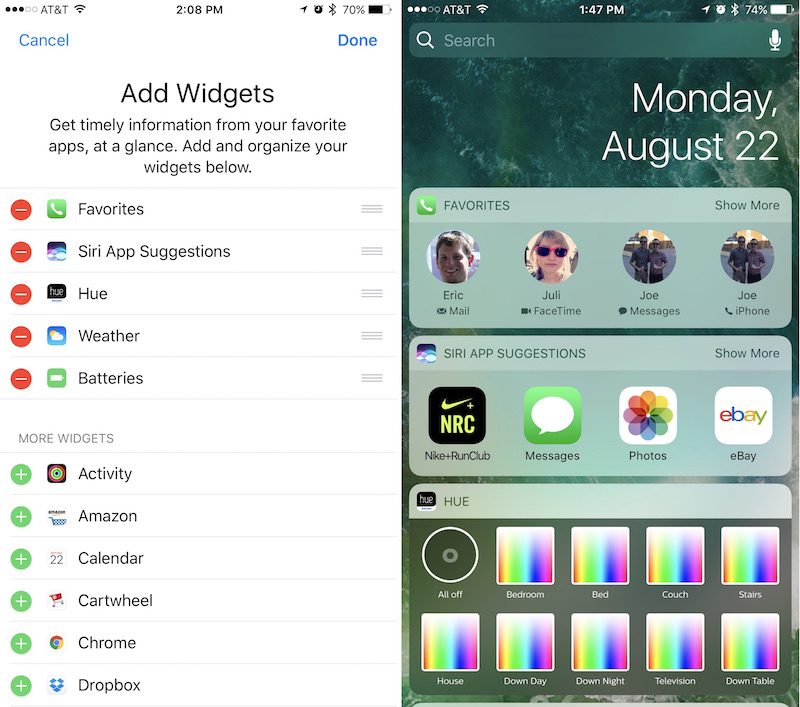
Your customization options include: adding multiple methods of communication for one person (all four if you contact one person multiple ways frequently), removing the default phone call options for message-focused contacts, and setting your top four most used Contacts to save room on the widgets screen, without needing to use the "Show More" option. 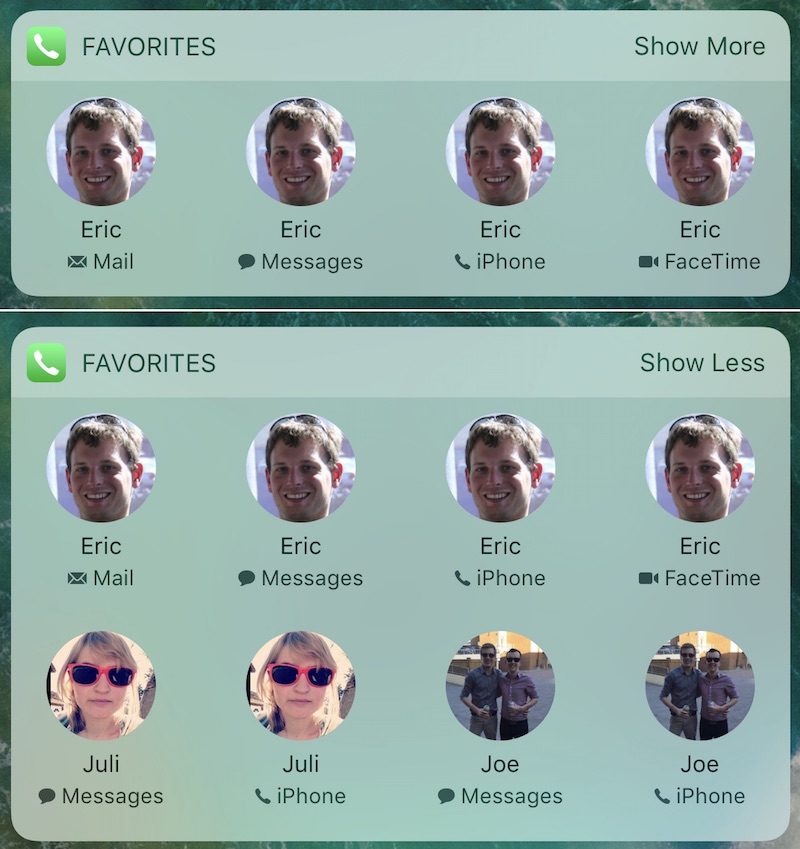 An example of the personalized layout that the new widget offers. An example of the personalized layout that the new widget offers.iOS 10 is full of other mi**r but useful features that are worth checking out, which MacRumors is covering in various guides and how-tos to give you a step-by-step walkthrough of each new feature. Check back for new articles, and be sure to read our forums for discussions on iOS 10, the iPhone 7 and 7 Plus, and more. Related Roundup: iOS 10 Discuss this article in our forums أكثر... ??????? ??????: How to Customize Favorite Contacts in iOS 10 || ??????: ahlam1399 || ??????: اسم منتداك

|
|
|


 العرض الشجري