
|
|
#1
 11-15-2012, 08:31 PM
|
|||
|
|||
 Gmail Finds Similar Words and Spelling Mistakes
Gmail has constantly improved its search feature in the past few months. After adding spell checking, suggestions, searching inside attachments, Gmail **w matches Similar Words that have the same root. You can find a message even if you don't remember the exact Words and that's pretty helpful. **w you can search for [cat] and find messages that include the word [cats], search for [start] and find messages that only include [starting], search for [usable] and match [usability], search for [colour] and match [color], [coloured], [colours], [multicolor] and more. 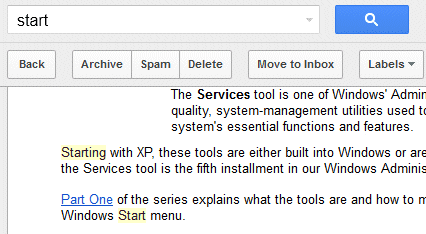 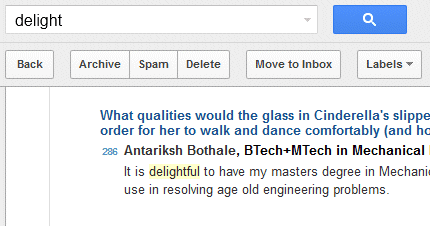 Gmail also Finds Spelling Mistakes like "clours" instead of "colours". [IMG]http://2.bp.blogspot.com/-7WxoENa4Row/UKUAH**sTRI/AAAAAAABGpE/OQ_9Tg5RMk8/s640/gmail-find-spelling-mistakes.png[/IMG] Gmail's search feature is less sophisticated than Google Search, so Gmail won't find sy**nyms and acronyms. You won't find messages that include "New York" when you search for [NY] or messages that include "tv" when you search for [television], at least **t yet. To prevent Gmail from finding related matches, use the + operator. For example, search for [+usable] and Gmail will ** longer return messages that only include "usability".  ??????? ??????: Gmail Finds Similar Words and Spelling Mistakes || ??????: rss || ??????: اسم منتداك

|
 |
|
|


 العرض العادي

