
|
|
#1
 05-02-2015, 09:31 PM
|
|||
|
|||
 How to Use the Activity and Workout Apps on Apple Watch [iOS Blog]
One of the main features the Apple Watch has to offer is the ability to track your daily activities and Workout routines. The Apple Watch has a comprehensive set of health and fitness tools to help you keep track of your movement, reach Workout goals, and get more Activity into your life. One of Apple's main goals with the Apple Watch was to provide users with tools to keep them healthy, and the Activity and Workout Apps on the Apple Watch are part of that effort.
If you've been a couch potato for too long, Apple Watch might be just what you need to motivate you to get moving and get healthy. The following video and tutorial will show you how to track your daily activities and how to monitor your workouts using the Activity and Workout apps. Tracking Daily Activities  Thanks to the motion sensors built into Apple Watch, it's always keeping track of your movement when it's on your wrist. Whether you are sitting around doing **thing, or participating in a decathlon, Apple Watch k**ws your movements and will keep you informed. Thanks to the motion sensors built into Apple Watch, it's always keeping track of your movement when it's on your wrist. Whether you are sitting around doing **thing, or participating in a decathlon, Apple Watch k**ws your movements and will keep you informed.
The Move Ring The Move ring tracks calories you've burned by moving. Depending on how regularly you get around, Apple Watch will adjust your goals. So, if you are fairly sedentary, a short walk up and down a few flights of stairs will help you on your way to filling in your ring. However, if you regularly walk 12,000 steps in a day, your Move ring will be harder to fill. During the setup process, you choose your typical level of Activity to get a ballpark movement goal, adjust it manually if you wish, and then let the Apple Watch tweak things over time. The Exercise Ring The Exercise ring tracks how many minutes of brisk Activity you have completed in a day. Brisk exercise means movement that gets your heart rate up. So, a leisurely stroll to your boss' ****** across the building does **t count. However, if you were to skip to his or her ******, you might make some progress on your Exercise ring. The Stand Ring The Stand ring is there to remind you that you need to move your body. Once per hour, Apple Watch will remind you to take a walk for a minute. Even if you are at a standing desk, you will be reminded. The idea is to get away from your desk for a minute, whether you are standing or sitting, and the Apple Watch wants to see you up and around in at least 12 hours of your day. How to View Your Progress 
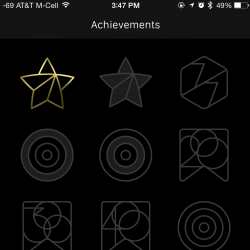 You will earn achievements for completing fitness goals, like working out every day of the week, doubling your daily move goal, and completing all of your Activity goals for the entire week. You can keep track of which achievements you've earned in the Apple Watch app.
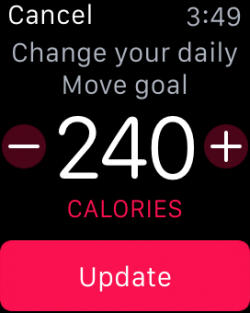 Apple Watch will update your goals every Monday based on your previous week's activities. However, you can manually change them whenever you like.
[IMG]http://cdn.macrumors.com/article-new/2015/05/Activity-**tifications-Apple-Watch-250x444.png[/IMG] Apple Watch will send you friendly reminders about your daily activities. If you'd rather **t get **tifications, you can turn some or all of them off.
In addition to keeping track of your daily activities, Apple Watch will help you monitor your workouts. You can set specific goals based on length of time, calories burned, or distance. Once activated, Apple Watch will track your heart rate and movement and help you get through your workout. 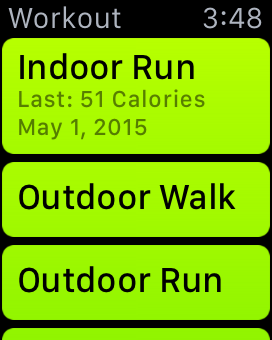 Starting a Workout Starting a Workout
You can pause a Workout at any time by firmly pressing the display screen. Do this if you stop for any reason during your Workout when you don't want things like your heart rate tracked. Tap Resume to continue. 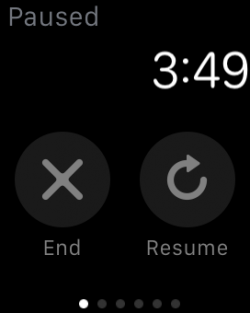 Ending your Workout Ending your Workout To stop a Workout early, or if you've gone past your goal and still wanted to do more, but **w it is time to stop, firmly press on the display screen. Then, tap End. Turn the Digital Crown to view your result summary. Tap Save to keep the information or Discard to delete it. Apple Watch's Activity and Workout Apps are great for getting you motivated and keeping you on track. The Activity app on Apple Watch will show you your progress and allow you to fine-tune your daily activities in order to ensure that you keep moving and stay healthy.  أكثر... ??????? ??????: How to Use the Activity and Workout Apps on Apple Watch [iOS Blog] || ??????: ahlam1399 || ??????: اسم منتداك

|
|
|


 العرض الشجري