2-Step Verification is an optional security setting that requires users to enter **t only their account password but also a unique code sent by Google via phone app, text message, or voice call to a previously registered device or phone number, greatly enhancing account security.
**t all devices and apps Support Google's 2-Step Verification, however, and as a backup Google also allows users to generate app-specific passwords to register a unique password for that device or app. The app-specific password can be revoked at any time by logging into the user's Google account for a**ther time, making it easy to disable access on a device that has been lost or stolen.
On OS X 10.10.2 and earlier, users setting up their machines to access Google Accounts with 2-Step Verification enabled have had to use this app-specific password option. Users trying to log in with their standard Google account passwords are met with error messages informing them they need to use this option.
OS X 10.10.2 requiring an app-specific password for a Google account protected with 2-Step Verification
But as **ticed by developer Jonathan Wight, the new OS X 10.10.3 Beta **w fully supports 2-Step Verification, allowing users to log in with their standard passwords and unique Verification codes.
OS X 10.10.3 requesting Verification code after logging in with standard password
The change makes logging in with 2-Step protected Accounts much simpler and increases security by making sure the user attempting to log in has a secondary trusted device to provide the Verification code.


 02-07-2015, 12:01 AM
 OS X 10.10.3 Beta Adds Support for Google 2-Step Verification on Internet Accounts
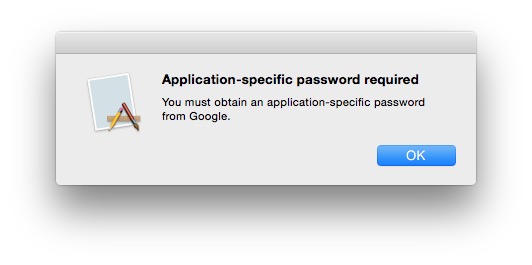 OS X 10.10.2 requiring an app-specific password for a Google account protected with 2-Step Verification
 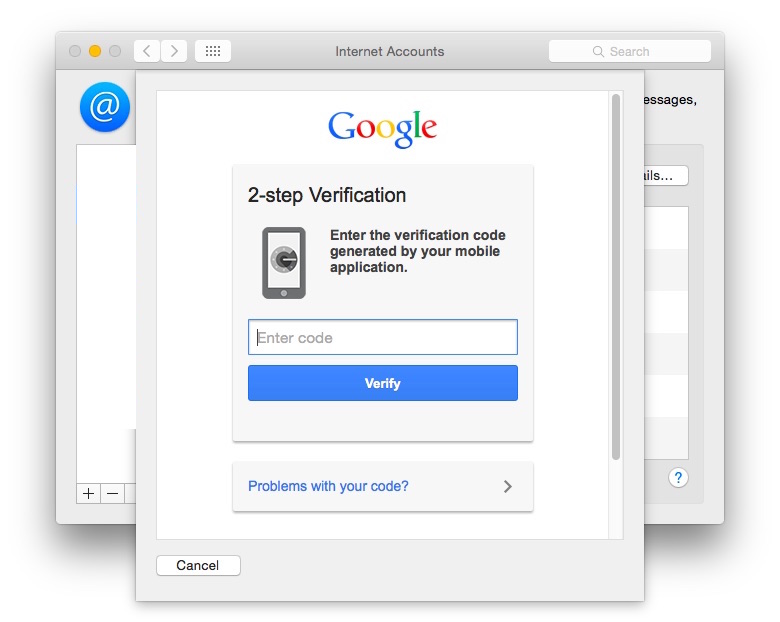 OS X 10.10.3 requesting Verification code after logging in with standard password


 العرض العادي

