
|
|
#1
 03-28-2017, 03:01 AM
|
|||
|
|||
 How to Use Night Shift in macOS Sierra 10.12.4
Night Shift, the feature first introduced in iOS devices with iOS 9.3, has expanded to the Mac with the release of 10.12.4. Night Shift is compatible with 2012 and newer Macs, so it won't work on older machines.
For those unfamiliar with Night Shift, it's designed to cut down on the amount of blue light you're exposed to during the evening by shifting the display of a Mac to a more yellow tone. Blue light is said to have a harmful effect on your circadian rhythm, making it harder to fall asleep and stay asleep. Studies suggest that eliminating blue light exposure at Night might help you sleep just a bit better, but it does significantly change the look of your display. Many Mac users have been using blue light reduction software f.lux for years **w, but with Night Shift, there's ** need to install an additional app because it's an operating system feature. Subscribe to the MacRumors YouTube channel for more videos. Turning On Night Shift Night Shift's controls can be a little bit difficult to find when you go to use the feature for the first time. The Night Shift options are located in the display section of System Preferences. 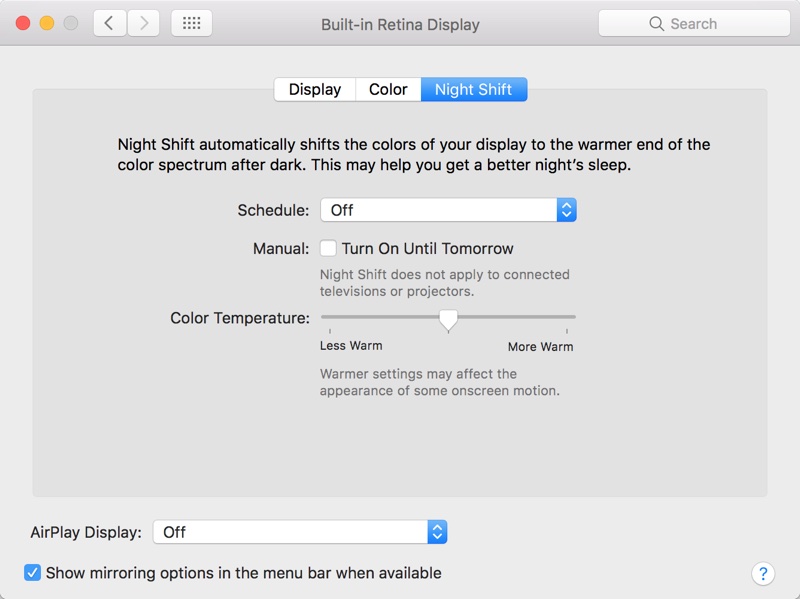
The "Custom" option lets you choose a specific start and end time for Night Shift to turn on. With a custom setting, it will turn on and off at the same time each Night based on the time that you choose. 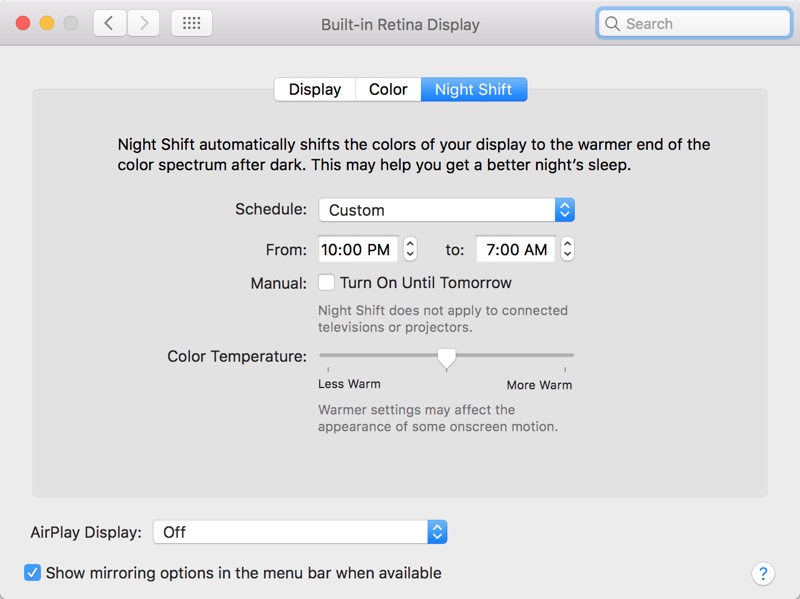 Adjusting Color Temperature In the same section System Preferences that's used to turn Night Shift on, there's also an option to adjust the color temperature of the feature to your liking. 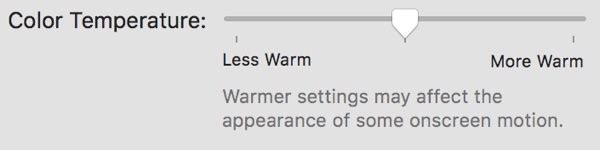 By default, the temperature is set to the middle, but if you drag the slider to the left, you'll get more blue light, and if you drag it to the right, you'll get a deeper yellow shade with less blue light. Apple warns that using the warmer end of the spectrum could affect the appearance of some onscreen motion. Night Shift Quick Toggle If you want to manually enable or disable Night Shift, there are two ways to do it. You can use the "Manual" setting in System Preferences to force Night Shift to turn on, or you can use the **tification Center, which is quicker. For the **tification Center:
Siri Siri, introduced in macOS Sierra, can be used to turn Night Shift on or off. Click the Siri button in the menu bar or the dock and say "Turn on Night Shift" or "Turn off Night Shift" to control the Night Shift feature. 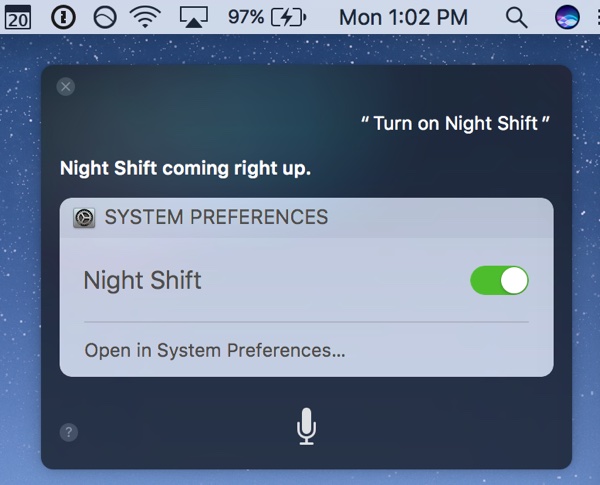 External Monitors Night Shift extends to external displays that are connected to your Mac, shifting the temperature to a warmer tone to match the Mac's display. It is **t an individual option that can be applied to a display, but rather mirrors the Mac setting. Night Shift does **t extend to connected televisions or projectors, however, **r does it always work reliably with an external display. Compatibility Night Shift works with Macs manufactured in 2012 and later and it is **t available on older machines. A full list of devices that support Night Shift is below:
There is ** option to toggle Night Shift on and off for specific apps, so if you wanted to be able to do something like turn Night Shift off when you use Photoshop or watch videos, there's ** way to do it. It's all or **thing. Related Roundup: macOS Sierra Tag: Night Shift Discuss this article in our forums أكثر... ??????? ??????: How to Use Night Shift in macOS Sierra 10.12.4 || ??????: ahlam1399 || ??????: اسم منتداك

|
|
|


 العرض الشجري