macOS Sierra: How to Use Apple Pay on the Web - اخبار التقنية

ryan

العودة   ryan > اخبار التقنية


أدوات الموضوع انواع عرض الموضوع
  #1  
قديم 09-20-2016, 09:51 PM
ahlam1399 ahlam1399 غير متواجد حالياً
Administrator
 
تاريخ التسجيل: Sep 2012
المشاركات: 3,727,761
افتراضي macOS Sierra: How to Use Apple Pay on the Web

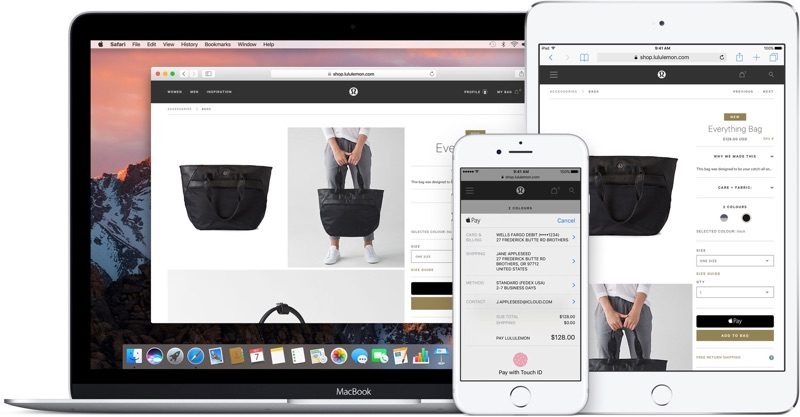
macOS Sierra and iOS 10 both include a new Continuity feature that allows Apple Pay to be used to make purchases on the web using Safari, giving Apple users an alternative to other web-based payment services like PayPal.

On Macs, Apple Pay for the web requires an iPhone with Touch ID and Apple Pay support or an Apple Watch, as payments are authenticated through the phone or watch. Apple Pay on the web requires merchants to adopt Apple Pay, so it isn't yet available everywhere, but support has started rolling out.
macOS Sierra: Apple
Sites like Time Inc., Wayfair, and Apple's own online Apple Store have started accepting Apple Pay, and payment processors like Stripe, Big Commerce, Shopify, and Squarespace all offer support, so it may be almost everywhere in just a couple of months.

Here's how it works:
  1. Visit a website that supports Apple Pay on the web, like Apple.com. I'll be using Apple's online store as an example.

    macOS Sierra: Apple
  2. Choose a product you want to purchase and click "Add to Bag."
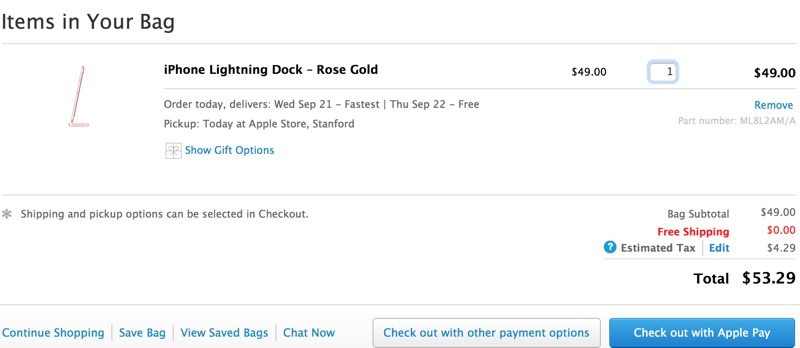
  3. On Apple's site, you're automatically taken to the cart, where "Check out with Apple Pay" is an option. Choose it.
  4. At the next checkout screen, choose delivery options and then click on the Apple Pay button.
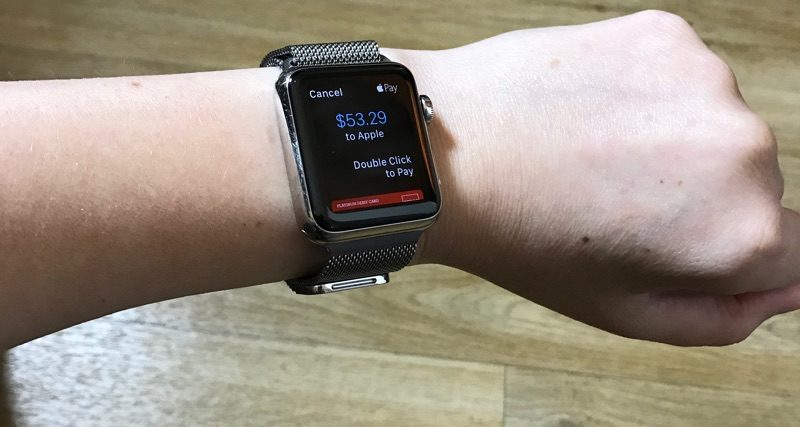
  5. If you're wearing an authenticated Apple Watch, you'll be asked to verify the payment with the watch. Double tap on the side button (watchOS 3) to confirm and make the purchase.

    macOS Sierra: Apple
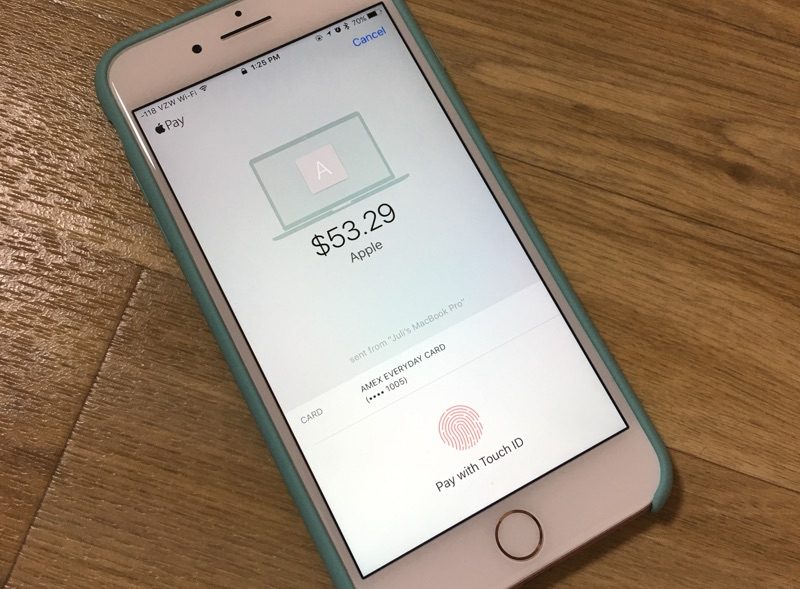
  6. With ** Apple Watch, a confirmation screen will pop up on a connected iPhone, locked or unlocked. It requires a fingerprint to be placed on the Touch ID home button to confirm the payment.

    macOS Sierra: Apple
  7. Once the payment is confirmed on the Apple Watch or the iPhone, that's it. The purchase is made and on its way.
When checking out on the web, all payment and shipping information is entered automatically, so you don't need to do anything but tap the confirm button to pay. It's quick, simple, fast, and safe. There is, however, a popup that will let you select the card you want to use, choose the shipping address, and more, if you need to make alterations.

macOS Sierra: Apple
Apple Pay on the web is a Continuity feature so it requires a Mac with Bluetooth 4.0 support. It is compatible with the following machines running macOS Sierra:

- MacBook (Early 2015 or newer)
- MacBook Pro (2012 or newer)
- MacBook Air (2012 or newer)
- Mac mini (2012 or newer)
- iMac (2012 or newer)
- Mac Pro (Late 2013)

Apple Pay also requires an iPhone 6 or later running iOS 10 or an Apple Watch with watchOS 3, and it only works with the Safari browser. Apple Pay on the web is also available on iOS devices and will be available as long as one card has been added to the Wallet app on the iPhone.

Related Roundup: macOS Sierra

Discuss this article in our forums

macOS Sierra: Apple macOS Sierra: Apple
macOS Sierra: Apple

أكثر...

كلمات البحث

العاب ، برامج ، سيارات ، هاكات ، استايلات


رد مع اقتباس


تعليمات المشاركة
لا تستطيع إضافة مواضيع جديدة
لا تستطيع الرد على المواضيع
لا تستطيع إرفاق ملفات
لا تستطيع تعديل مشاركاتك

BB code is متاحة
كود [IMG] متاحة
كود HTML معطلة

الانتقال السريع


الساعة الآن 06:00 PM


Powered by vBulletin® Copyright ©2000 - 2026, Jelsoft Enterprises Ltd. TranZ By Almuhajir
This Forum used Arshfny Mod by islam servant