
|
|
#1
 09-15-2016, 02:01 AM
|
|||
|
|||
 Messages in iOS 10: How to Use Digital Touch
In iOS 10, the Messages app is gaining Digital Touch, a communication feature that was previously limited to watchOS. With Digital Touch, you can send friends and family drawings, heartbeats, fireballs, kisses, and more, all with just a few taps.
Sketches, taps, and other Digital Touch Messages created on your iPhone are also viewable on the Apple Watch and vice versa, giving you plenty of ways to express yourself. Here's how to use the new feature. 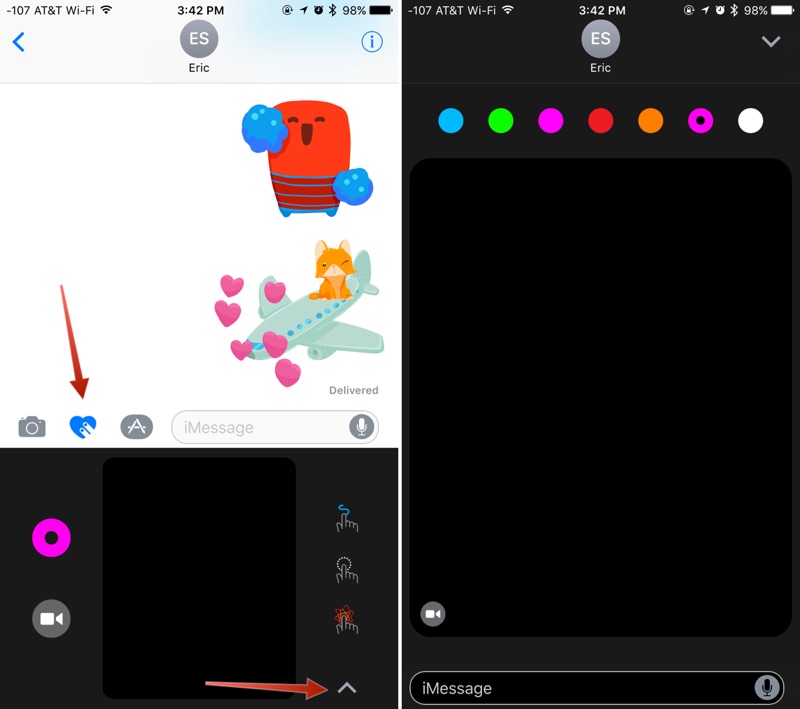 Accessing Digital Touch
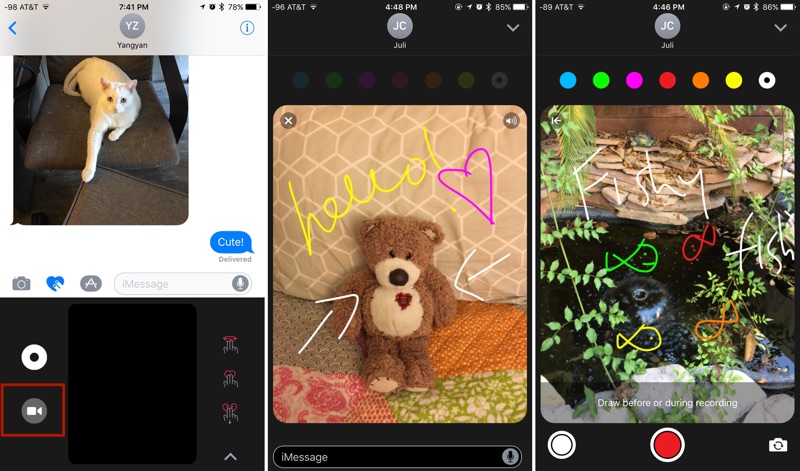
The Digital Touch interface supports several tap-based gestures to send various taps and icons, plus it allows for drawing with a finger and an**tating short videos with the included video tool. Drawing To draw with Digital Touch, just start sketching in the black Digital Touch box, visible both in standard view mode and full screen mode. When using the standard view, tap the small circle on the left side of the screen to see the different color options. In full screen mode, the colors are all available at the top. TIP: To access custom colors, long press on any of the color swatches. It'll bring up a color wheel with custom color options for more personalized drawings. 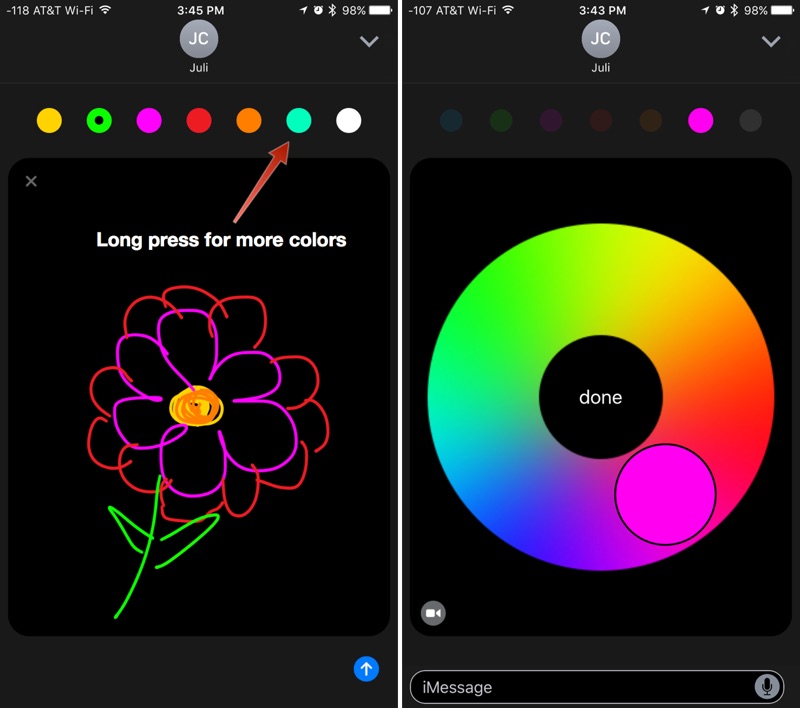 On the Apple Watch, Digital Touch drawings are sent as soon as your finger is ******* from the screen for a few seconds, but on the iPhone and the iPad, you can take your time because drawings aren't sent until you tap the send arrow. The person who receives your Digital Touch drawing will see it drawn out in real time, just as you sketched it. If you make a flower, for example, it'll play like a video, showing each petal drawn in succession. When you receive a Digital Touch drawing in Messages, tap it and you can see it full screen. An**tating Photos and Videos A Digital Touch feature unique to the iPhone and the iPad is the ability to snap photos or record short 10 second videos that can be an**tated using Digital Touch sketching tools. Here's how:
There are several different Digital Touch gestures, each with a different effect. You can send kisses, heartbeats, taps, fireballs, and more. Below is a list of the gestures and their effects.
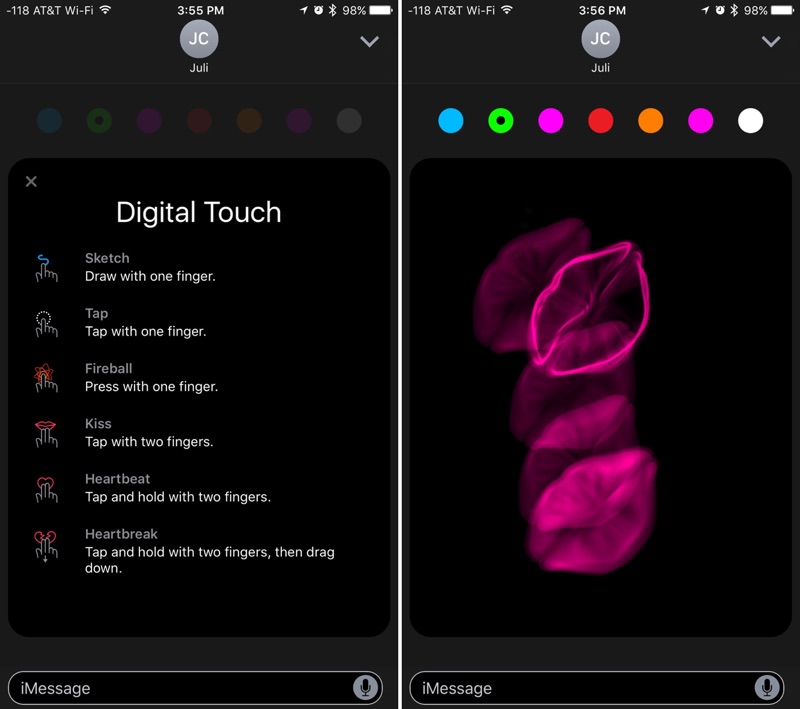 You can combine all of the photo, sketching, and gesture tools in Digital Touch to create unique multimedia Messages to share with friends and family and make communicating more fun. As a side **te, Digital Touch Messages are temporary. They will be deleted after a few minutes unless you tap on "Keep" in the Messages window to permanently save them. Related Roundup: iOS 10 Discuss this article in our forums أكثر... ??????? ??????: Messages in iOS 10: How to Use Digital Touch || ??????: ahlam1399 || ??????: اسم منتداك

|
|
|




 العرض الشجري