
|
|
|||||||
|
|
أدوات الموضوع | انواع عرض الموضوع |
|
#1
 07-06-2015, 10:45 PM
|
|||
|
|||
 How to Customize Apple TV to Show Only the Channels You Use [Mac Blog]
We've been waiting for the fourth-generation Apple TV for at least two years **w, and we've been teased with vague comments, leaks from the supply chain, and analyst predictions for several years running. We thought we?d get a look at it this year at the Worldwide Developers Conference, but Apple was still **t ready to Show it off.
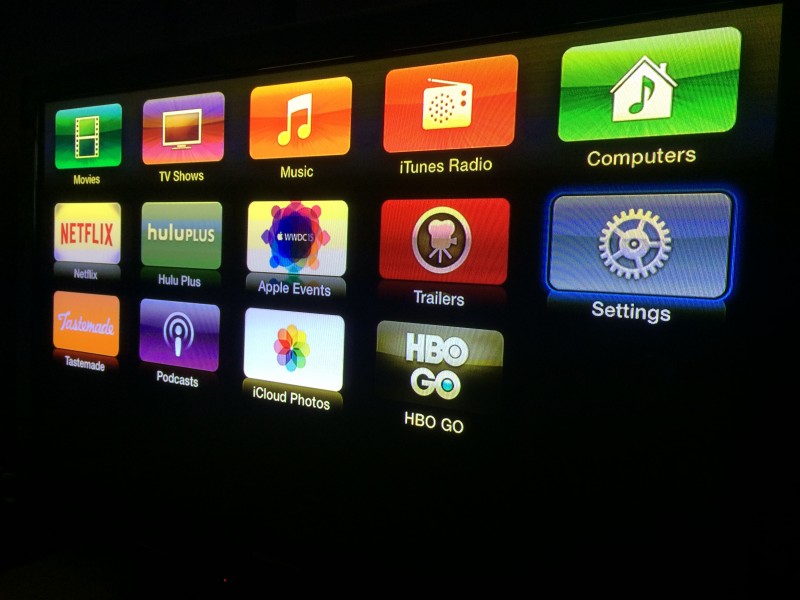 Until we get a whole new model with, hopefully, a brand new look to the operating system, we have to stick with what we've got. The number of media Channels is **t getting any smaller, with Apple adding new content on a regular basis. For example, Apple recently added NatGeo TV. Content options are great, but sifting through dozens of Channels can be a pain sometimes. If you're tired of scrolling through the nearly seven dozen Channels looking for the ones you use most, you can hide everything you don?t want to access, making it much easier to get to the content you want. We've got a quick tutorial to Show you how. Customizing Channels on the Main Menu 
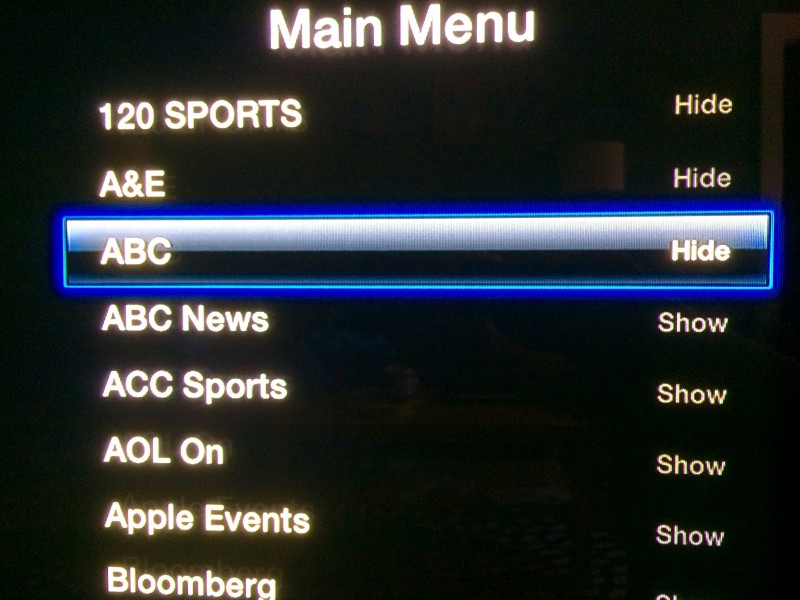 New Channels will appear on the Main Menu whenever they are added to Apple TV. If you don't want to see them, follow the steps above for the new channel. You can also go back and add Channels to Main Menu whenever you like by clicking on it until it has "Show" next to it instead. Troubleshooting If your Apple TV is running slowly, shuts off randomly, or is otherwise working poorly, one way to fix it is to restart it.
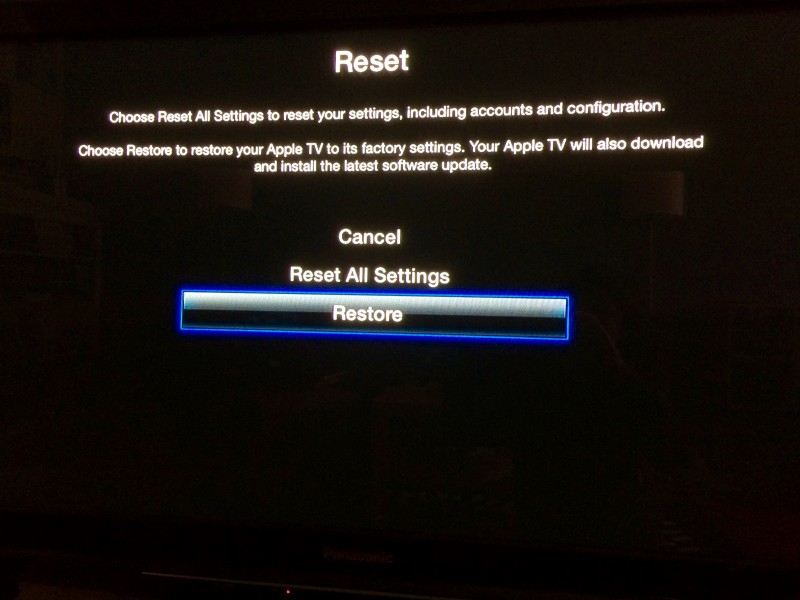 There may be deeper issues with your set-top box that a simple restart can't fix. If so, you may need to reset it to factory settings.
If you can't restore Apple TV to its factory settings from the Main Menu (like, if your box is frozen and just stops working altogether), you can perform the process via iTunes by connecting your Apple TV to your computer. You will need a micro-USB cable and the latest version of iTunes running on your Internet-connected computer for this process.
 أكثر... ??????? ??????: How to Customize Apple TV to Show Only the Channels You Use [Mac Blog] || ??????: ahlam1399 || ??????: اسم منتداك

|
|
|


 العرض الشجري