WhatsApp for iOS received an update today, bringing some additional improvements to the messaging platform.
For the first time, users can **w tap "send" on messages when they don't have a connection, and the messages will be sent when a data connection is re-established. Multiple messages can be queued up in the Offline mode, so users are free to carry on their side of a conversation until connection resumes.
The old storage screen (left); with new management options (right)
Elsewhere, WhatsApp developers have redesigned the storage usage screen, which **w lets users manage their phone's storage space by deleting selected Message types, such as videos, from specific chat threads. The storage screen options can be accessed by going to Settings -> Data and Storage Usage -> Storage Usage and tapping "Clear Chat".
Lastly, the v2.17.1 update enables users to send up to 30 photos or videos at once.


 01-24-2017, 03:09 PM
 WhatsApp 2.17.1 Ups Bulk Media Message Limit, Adds Offline Message Queueing and Stora
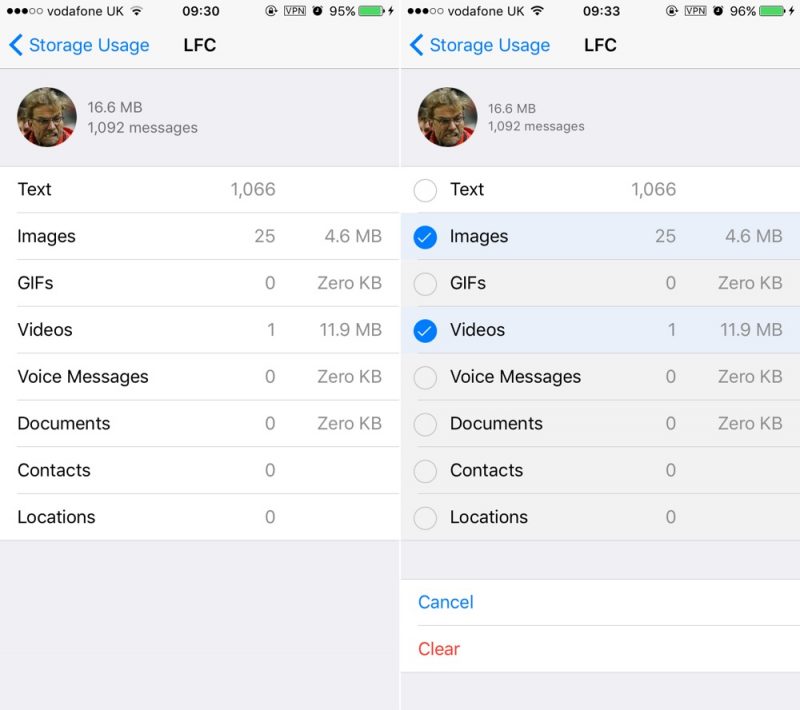 The old storage screen (left); with new management options (right)


 العرض العادي

