
|
|
#1
 06-08-2016, 12:58 AM
|
|||
|
|||
 Instagram Updated With Share Sheet Extension for Quicker Sharing
When viewing images in Photos, selecting an image and then tapping on "share" **w brings up Instagram alongside other Sharing options like Facebook, Twitter, and Flickr. Selecting Instagram will allow users to write a caption before sending the image to Instagram. 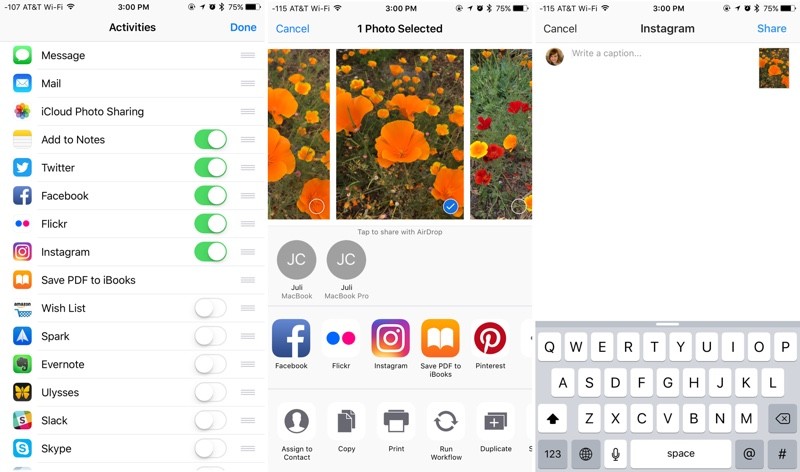 As MacStories points out, Instagram's Share Extension is limited. Adding a caption to a photo is the only option, With ** available photo adjustment tools or options for adding locations and people tags. Instagram can be added to the Share Sheet through the Photos app by tapping on share, selecting the "More" button, and choosing to toggle on the Instagram option. Once that's done, Instagram will always be available in the Share Sheet of any app With Share functionality. Instagram can be downloaded from the App Store for free. [Direct Link] Tag: Instagram Discuss this article in our forums أكثر... ??????? ??????: Instagram Updated With Share Sheet Extension for Quicker Sharing || ??????: ahlam1399 || ??????: اسم منتداك

|
 |
|
|


 العرض العادي

